- POS Updates
- Built to run leaner
- Built to convert
- Strategic integrations
Turn insights into smarter operations
Get startedShare
5 min read
Jul 14, 2026
What's new: July 2026
More control over ticketing, access, and bookings: POS walk-ins, access ranges, scheduled delivery, and collaborator integrations.
POS Updates
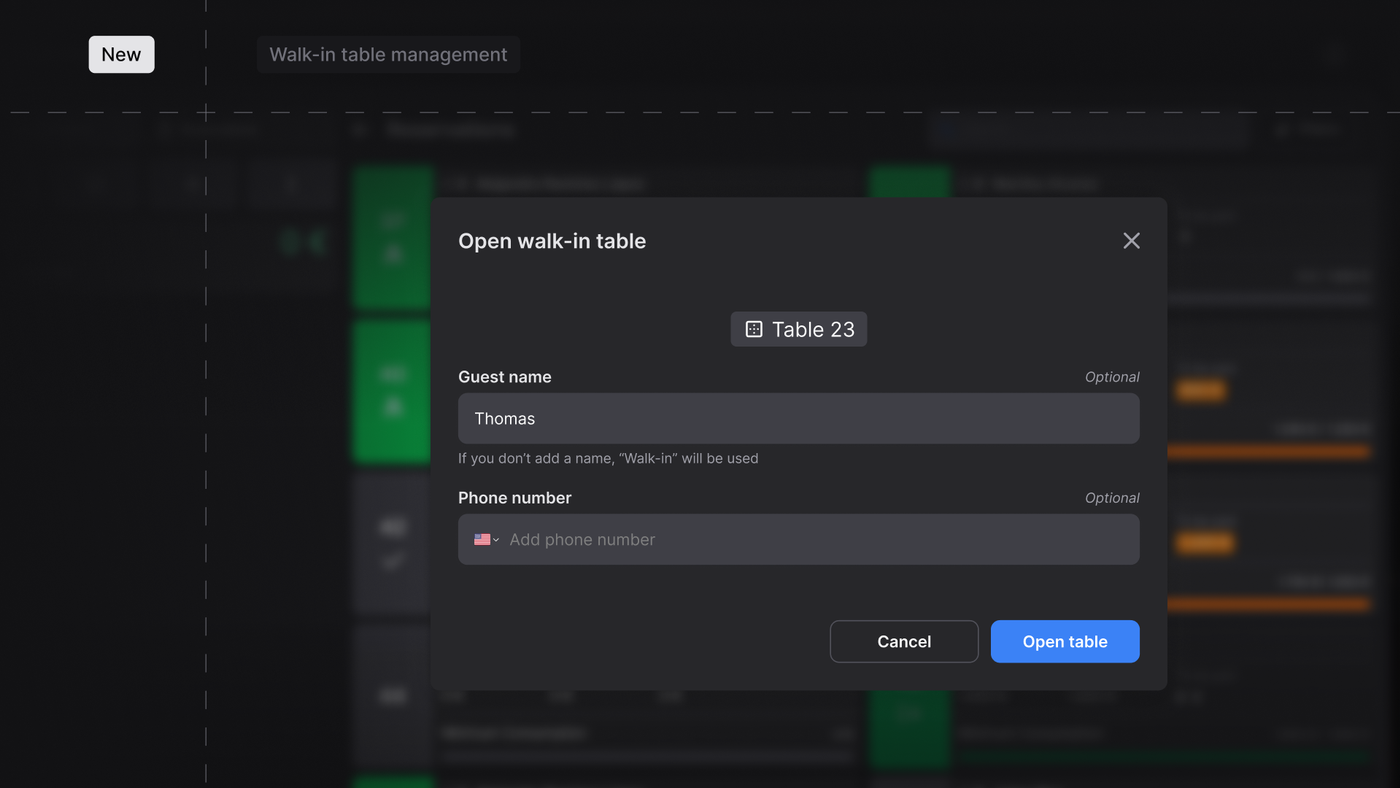
Walk-in table management from POS (New Feature)
We launched walk-in table management in the POS. Now, any free space created in Pro appears directly in the POS alongside active reservations: floor staff tap a free table, optionally enter the guest's name and phone number, and open it as a walk-in in a single gesture.
Orders and commands run entirely from the POS, the table syncs to Pro in real time as a standard reservation, and once it closes fully paid it returns to free and reappears in the POS for the next guest.
Floor staff open, manage, and close walk-in tables without ever touching Pro, turning a three-step flow across two apps into a single tap. As a result, the data stops slipping away: with optional name and phone capture, every walk-in table gets recorded. If the venue needs to assign a minimum spend or cover charge, it can still be set from Pro after opening the table.
Built to run leaner
Access Ranges (New feature)
We launched Access Ranges: you can now configure access windows by day and time slot within a single event, and assign them to each ticket type. A ticket valid only for Friday won't scan on Saturday; a weekend ticket validates for any combination of days you define; and scanning outside the allowed window is denied automatically. By default, events and tickets keep working exactly as before (scannable until the event's end time) until you configure ranges.
With this, multi-day festivals and events stop being an operational headache. Your door team validates with the same logic as always, with zero ambiguity, and you keep day-by-day control of capacity.
Sales Report
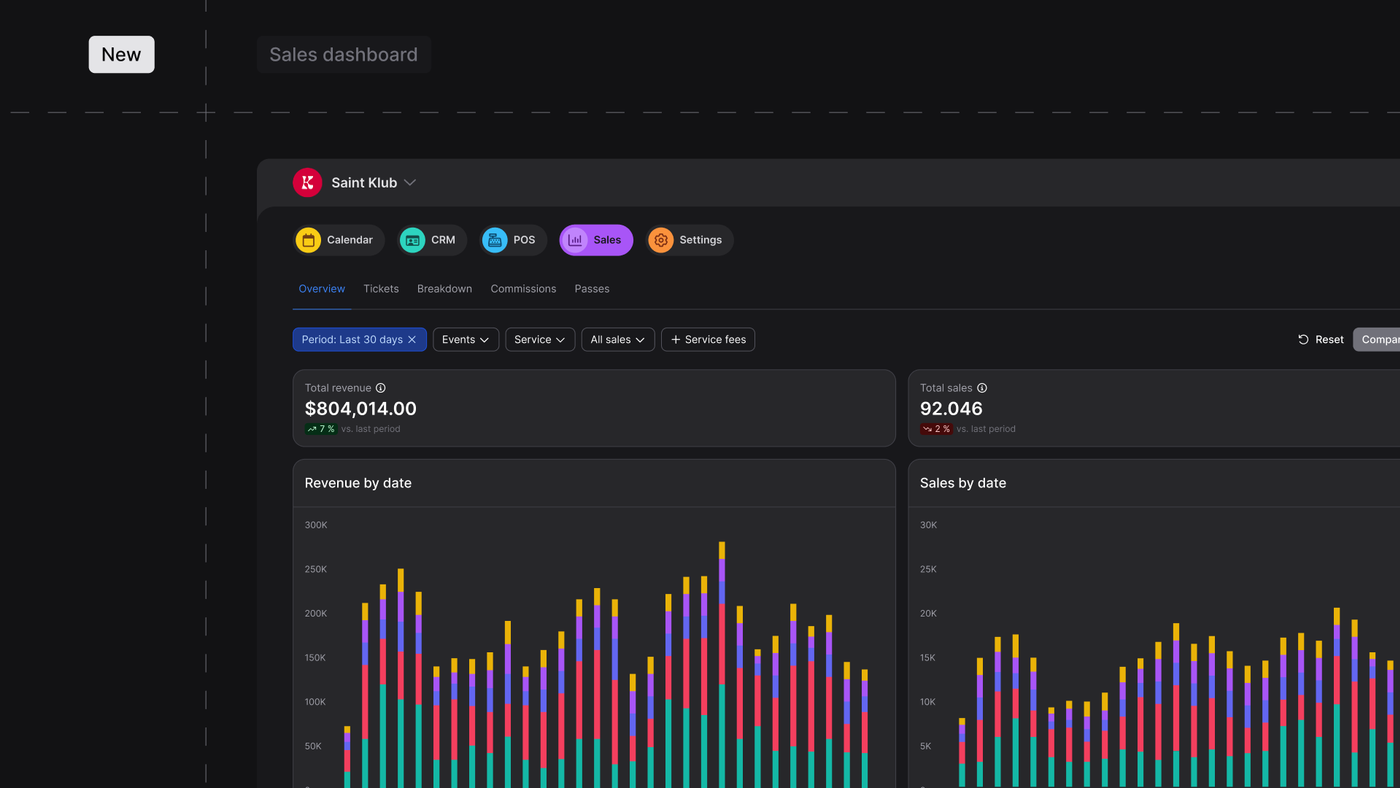
We've redesigned the Sales Report in Fourvenues PRO so organizations can see all revenue in one place: tickets, reservations, guest lists, and passes together in a single view. From the first Sales screen, you see total revenue and total sales across every service type, with automatic comparison against the previous period. Charts break down revenue and sales by day and by service, and each service type can be shown or hidden from the legend depending on what you need to analyze.
With this, business visibility stops being fragmented. If you operate with both tickets and reservations, you no longer open Sales to an incomplete picture: you see the full business from the first click. Every service now follows the same metric logic (tickets sold, reservations sold, guest list sales, and open list sales) without mixing attendance counts into revenue data. And revenue split by service type is visible at the top level, helping you understand which modules are driving value and make sharper commercial decisions.
Per-service email templates
We've expanded custom email templates: you can now assign a different template to each service. Where personalization used to apply globally, the email a guest receives with their ticket, reservation, or guest list entry can now carry its own design, banner, and content depending on the service they purchased.
As a result, every communication lands with the right message for each product, instead of one template for everything. Your emails get reinforced as a brand asset and as inventory for service-specific banners and promotions, keeping visual consistency at every guest touchpoint.
Built to convert
Scheduled ticket delivery (New feature)
We launched scheduled ticket delivery alongside a dedicated download page. You now decide how many days before the event the buyer receives the QR (for example, 1 day or 10 days before). The ticket is created at the moment of purchase (so add-on upselling, wallet, and cashless top-ups all work from that instant) but the PDF with the QR is delivered when you configure it.
After purchase, the buyer gets immediate confirmation by email with a link to a dedicated page where they can check their ticket status at any time and, when the event date arrives, they can download their QR code directly from that same page. They will also receive an automatic email from which they can download their ticket as well.
The impact is twofold. First, you cut resale and counterfeiting at the root: if the QR doesn't exist until you decide, there's nothing to resell or duplicate, which lets you close deals with venues that enforce strict anti-resale policies. Second, you open a sales window that runs from purchase all the way to the event: the download page removes the dependency on an email lost in the inbox and becomes a touchpoint to sell add-ons and cross-sell your upcoming dates.
Strategic integrations
Collabs: Bookings via Channel Manager (New feature)
We've extended the Channel Manager to bookings for collaborators and sales channels. Now a partner can check availability for an enabled event or session, create a reservation with the minimum required data, and look it up or cancel it, and every action is reflected in Pro with its status and core data, with the same consistency as every other channel.
With this, you open the bookings channel to your collaborators and partners without pulling them out of the standard Fourvenues flow. Reservations sold by third parties are recorded and visible in Pro like any other, with availability validation and error handling (capacity, duplicates, out-of-window bookings). You expand your reservation distribution network without losing traceability or control.
Want to see how these updates can work for your business?
Get started