Turn insights into smarter operations
Request informationShare
5 min read
Nov 5, 2026
What's New: Q3 2026
Five updates to sell more online, get paid on your reservations before the night starts, and see your whole business in one place, bar included.
Table of contents
- 1Sell more and get paid before the night
- 2Make decisions with numbers from the whole night and the whole season
Sell more and get paid before the night
Sell group tickets and bundles in a single order
Your customers can now add multiple ticket types to the same order and pay for everything at once. A group where some want entry with one drink and others want entry with five can check out together, and at a festival you can sell the ticket and the camping pass in the same transaction.
The cart adds up each ticket type with its quantity and shows the total at every step. Add-ons are still added within each ticket, and the buyer goes straight to the checkout form and a single payment. Since ticket type and quantity are picked on the same screen, checkout takes one less step, and every buyer feels it, including those buying a single ticket.
You sell each group exactly what it wants in one order and raise the average order value on group purchases. The cart is available for organizations that process payments through Adyen: ask your account manager to turn it on and confirm it fits your setup.
Win back abandoned checkouts
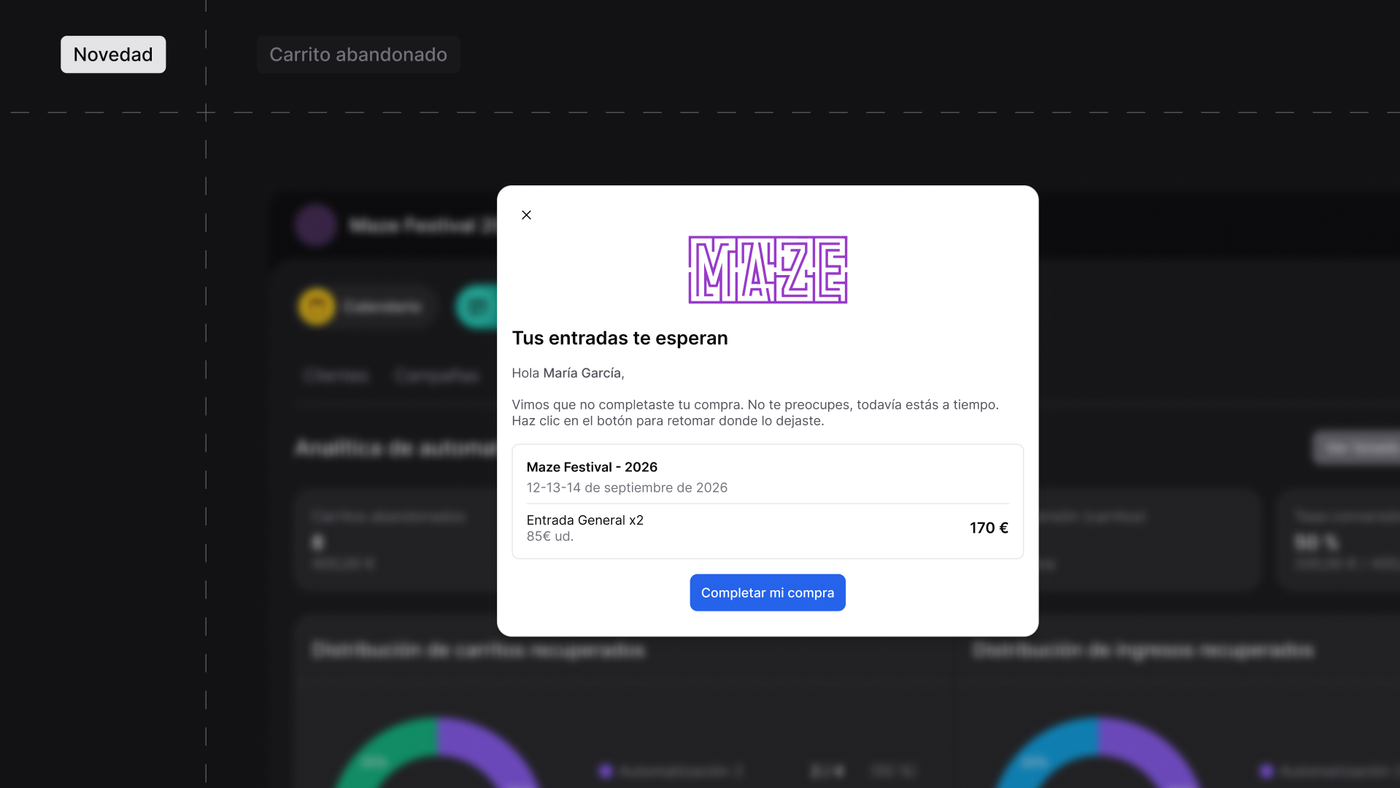
When someone starts buying a ticket and doesn't finish, they now get an automated email that takes them back to their order with their details already filled in. You recover sales that used to slip away at the last step.
Set up the automation in FV Pro under CRM > Automations in three steps: name, email content and send time, anywhere from 0 to 24 hours after the checkout is abandoned. If the buyer completes the purchase before the email goes out, the send is canceled automatically. The main screen shows abandoned carts, recovered carts and the revenue each automation has brought back.
You can track how much revenue each email drives, and if the buyer adds more tickets when they come back, that extra revenue counts too. For now, it works for tickets and for buyers who have opted in to your marketing emails.
Collect the balance before doors open
With a deposit-based reservation, most of the amount used to be collected on the night. Now you send the guest a link to pay the remaining balance before the event, so you start the night with more tables paid in full, less cash at the door and fewer disputes over the bill.
Turn on the new reminder in Reservation settings, under payment reminders. It uses the same window as the deposit reminder, so you only set the lead time once. The email goes to reservations with a paid deposit and an outstanding balance, with the exact amount in the link. Paying ahead is optional for your guest: if they don't, they settle the rest at the venue as usual.
For the email to go out, enable “Allow full payment of the reservation” on each rate. The bigger the reservation, the more revenue you lock in before opening: on a table that pays half up front, you collect twice as much before the night.
Make decisions with numbers from the whole night and the whole season
Reconcile the entire night in one report
Bar revenue and expenses now show up in the event's Financial report, alongside every other service. You reconcile online sales, reservations and bar from a single screen.
The All tab gives you the consolidated view, and the FV POS tab shows the bar breakdown, including Fourvenues fees and payment gateway costs. With this update, you reconcile every payment flow in the same report: FV Wallet, cash and external processors. Everything exports to Excel and PDF.
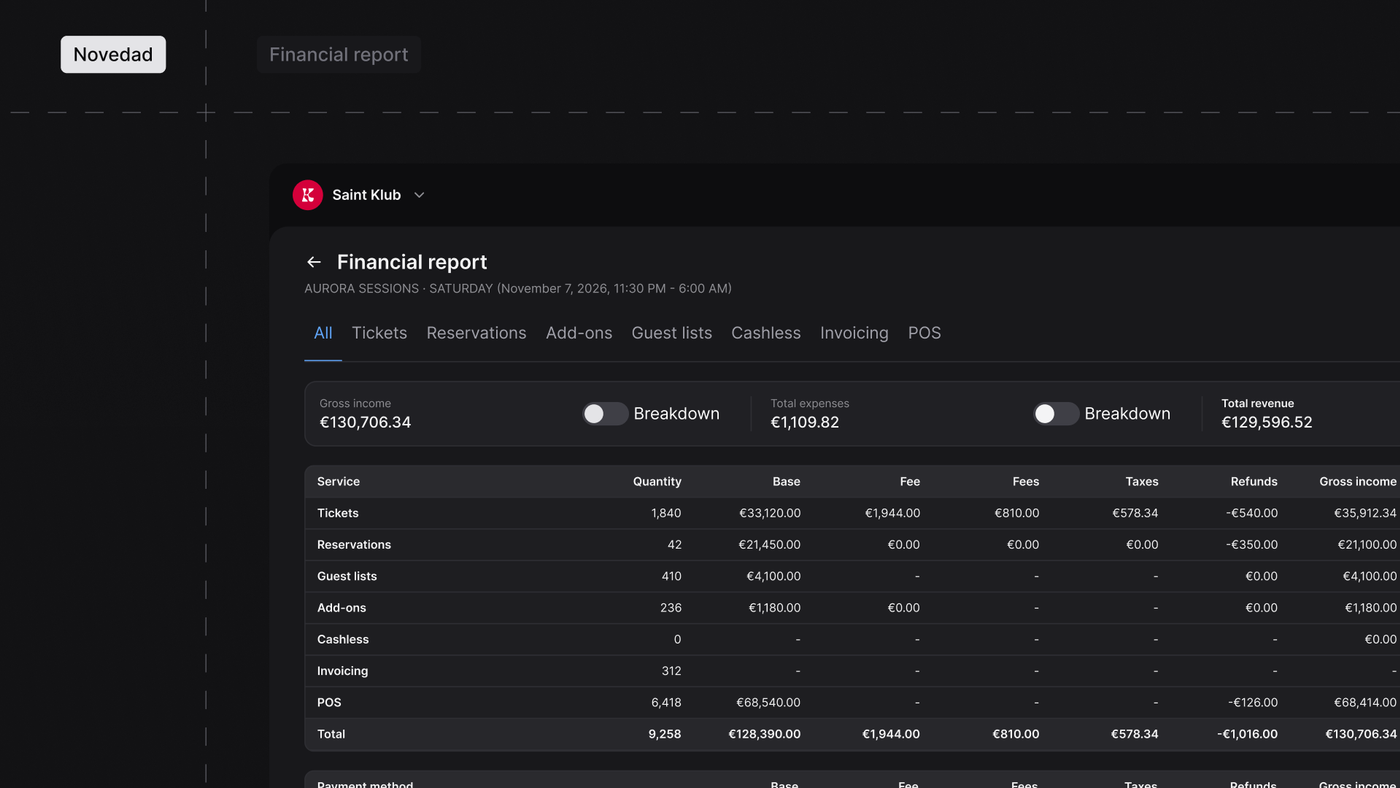
Your finance team knows exactly what each event brought in by opening a single report.
Calculate commissions and pick channels with the full season in view
The FV Pro breakdown report now filters by sale date and shows up to 365 days of sales at once. Adjust allocations, calculate promoter commissions and decide which channels to push with data from the entire season.
Select up to 300 events by date or day of the week and combine them with the period, or remove the period to see every sale for those events. Filter by service type and the columns adapt to each one. A label shows which channels are partners and whether they sold within an external sales group. The report loads much faster, even at high volume, and the Excel export now includes three sheets with more detail.
Get more out of everything you run on Fourvenues
These updates help you sell more online, get paid sooner and run your business with complete data, from the first sale to the end of the season. Start with the one that weighs most on your day to day: if you sell to groups, the cart; if you run table reservations, collecting the balance before the event; if you handle finance or sales channels, the Financial report and the breakdown report.
Talk to our team and start using them
Tags